A prompt for hand-drawn café illustrations with space for a heading
A Japanese prompt for café notices, reworked from a hand-drawn illustration idea on Threads. Two generated images show the margins, stray text and layout.
Verified Codex内蔵画像生成(正式モデル名は取得不可)Checked 2026.10.113 min readTranslated from the Japanese original. Outputs shown in code blocks are kept exactly as produced.

Key points
- Leaves empty space in the top third for a heading added later
- Two images from the same prompt; neither had stray text or logos
- Left-right placement changes each time. Specify positions to keep it fixed
[ Use ]
Create hand-drawn-style illustrations for a café website or seasonal notices, with room to add a heading later.
カフェのウェブサイトや季節のお知らせに使う、静かな手描き風の挿絵を1枚生成してください。題材は、白い陶器のカップに入ったコーヒーと、無地の小皿に載せたクロワッサン1個です。やや斜め上から見た自然な配置にし、2つの物を画面中央より少し下にまとめてください。薄いアイボリーの紙の上に、水彩と不透明水彩を重ねたような控えめな筆跡で描き、輪郭はところどころ柔らかく途切れさせてください。色は温かな茶色、くすんだ黄土色、淡いグレーを中心に、影は薄く柔らかくしてください。上部の約3分の1と左右には、後から見出しを配置できる余白を残してください。カップの持ち手と皿の形は自然にし、食品の形が分かる程度の描写に抑えてください。写真のような精密さ、太い漫画の輪郭、強い彩度、文字、ロゴ、透かし、人物、追加の食器は入れないでください。正方形、1024×1024pxで出力してください。
An illustration for a café announcement needs more than mood; it also needs a place for text. Based on a Threads post introducing a hand-drawn style, we wrote a Japanese prompt featuring coffee and a croissant. We generated two images from the same input. Both kept empty space at the top, and no text appeared inside either image.
English rendering (untested translation): "Generate one quiet, hand-drawn-style illustration for a café website or seasonal announcement. The subject is coffee in a white ceramic cup and one croissant on a plain small plate. Use a natural arrangement seen slightly from above, and group the two items a little below the center of the frame. Draw on pale ivory paper with restrained brushwork, like layered watercolor and gouache, and let the outlines break off softly in places. Center the colors on warm brown, muted ochre and pale gray, with light, soft shadows. Leave empty space in roughly the top third and on the left and right so a heading can be placed later. Keep the cup handle and plate shape natural, and depict the food just enough to be recognizable. Do not include photographic precision, thick comic outlines, strong saturation, text, logos, watermarks, people or extra tableware. Output a square, 1024×1024px."
These are generated illustrations meant to convey a mood, not product photos from a real shop. They do not faithfully reproduce any food or tableware actually served.
The post we used and what we changed
Our reference was a Threads post by Satoshi (@satoshi_web_en). On October 11, 2026, we checked the post dated September 14, 2026, and the two follow-up posts containing the prompt text. The first half and second half introduce the idea of using a watercolor look and paper texture.
The original post converts a reference photo. We specified the subject in detail so the image can be generated without a reference photo. To suit adding a heading later, we also left roughly the top third empty and told it not to generate text. This is not a copy of the original English text; we rewrote it for our use. The images from the original post are not included.
These changes aim at ease of use. We did not run a side-by-side test against the original prompt under the same conditions, so we do not claim it is better than the original.
Example output
We entered the Japanese prompt above, unchanged, twice into Codex's built-in image generation. No reference image or previous output was given. The original PNGs below have not been cropped, color-corrected, resized or converted. Optimized images for display on the site are generated separately by the normal build process.
Generated on October 11, 2026, with Codex's built-in image generation. The built-in tool does not report the official model name, so we record the feature name and generation date that we could confirm. Both images are 1254×1254px PNGs; the first is 2,224,611 bytes and the second 2,225,433 bytes.
Image 1
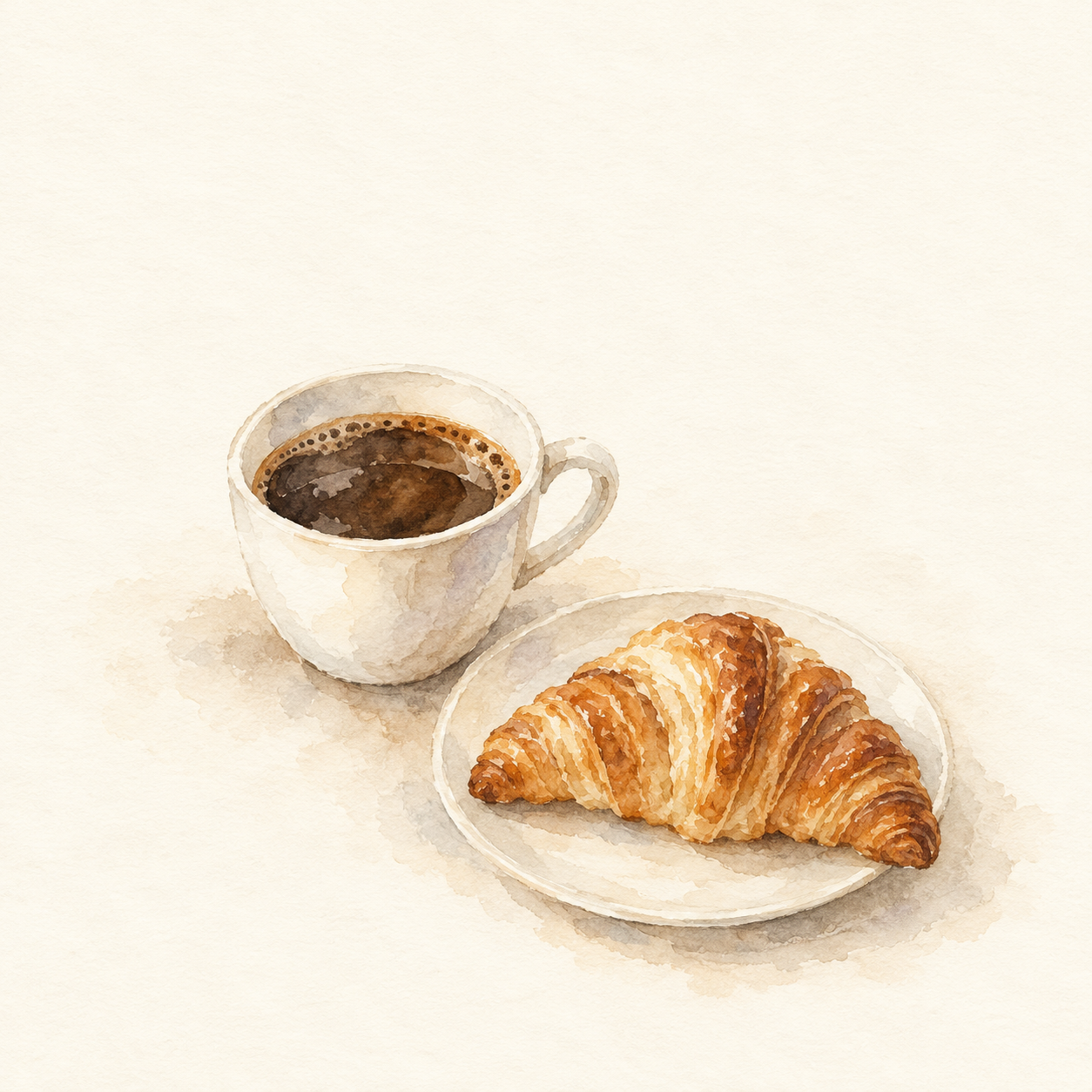
The cup is on the left and the croissant on the right. The background looks like paper, the shading is soft, and the top is easy to use for a heading. The croissant seems to stick out slightly past the right edge of the plate, so how it sits on the plate is worth checking.
Image 2
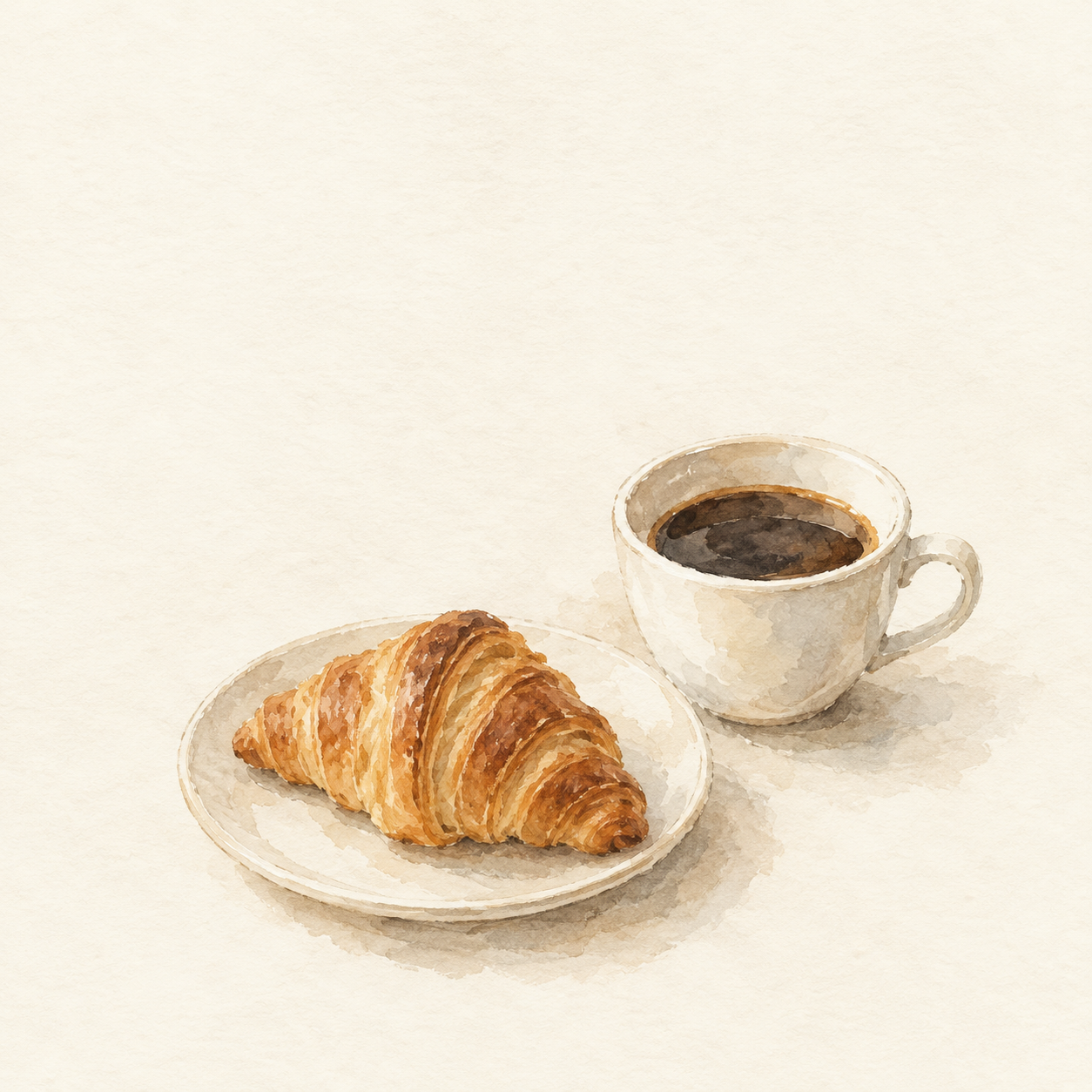
In the second image, the left-right placement is reversed. The colors and drawing style are similar, and the empty space at the top is kept. This shows that the same input does not lock in the layout.
Assessment
Looking at the two images, each shows one cup and one croissant, with no people, logos or readable text. Both meet the goals: recognizable subjects, soft colors and empty space at the top. The cup handle is recognizable, though the outlines wobble as part of the hand-drawn style.
On the other hand, the left-right placement and the spread of the shadows differ. If you need the same composition across several pages, you will need extra instructions. We checked only two images, and we do not guarantee the same quality every time or the same output as the original post.
How to adapt it
To change the subject, first replace only the "coffee and croissant" part, for example with "tea and scones". Keeping the style and empty-space instructions makes it easier to compare the results. We have not tried this substitution yet.
To fix the left-right placement, add positions such as "cup on the right, plate on the left". If there is not enough empty space, you could ask for smaller objects and describe the area for the heading more specifically. Rather than generating Japanese headings or prices inside the image, adding them later as text on the site makes editing easier.
[ Verification ]
- Status
- Verified
- Model
- Codex内蔵画像生成(正式モデル名は取得不可)2026.10.11
[ Update history ]
Last checked 2026.10.11
- 2026.10.11Wrote a Japanese prompt based on a Threads post, generated two images from the same input with Codex's built-in image generation, and checked them.