A prompt for product-photo-style images on a white background, tested with two images
A Threads product image prompt made specific for a mug on white, in Japanese. Two images from the same prompt show margin and shape differences.
Verified Codex内蔵画像生成(正式モデル名は取得不可)Checked 2026.10.114 min readTranslated from the Japanese original. Outputs shown in code blocks are kept exactly as produced.

Key points
- Makes product-photo-style images of goods on white with a faint shadow
- Neither of the two images had text or extra props
- The size instruction (about 55%) was not followed, and the shape varied
[ Use ]
Create product-photo-style images of fictional goods to plan the layout of online shop product pages and listings.
ネットショップの商品ページのレイアウト検討に使う、白背景の商品写真風の画像を1枚生成してください。被写体は架空の雑貨で、無地の淡いベージュ色の陶器製マグカップ1個です。空のカップを斜め前から撮影した構図にし、右側の持ち手と飲み口、底まで全体が見えるようにしてください。カップを画像の中央に置き、全体の横幅は持ち手を含めて画面の約55%に抑え、上下左右に余白を残してください。背景と床は継ぎ目のない純白。大きなソフトボックスで左上から柔らかく照らし、陶器の細かな質感と自然な丸みを表現してください。底の直下には薄い接地影を残します。カップの縁は自然な楕円、持ち手の穴は1つにし、極端な広角のゆがみを避けてください。清潔で写実的な商品写真にしてください。文字、ロゴ、透かし、値札、人物、手、植物、布、皿、飲み物、ほかの商品は入れないでください。正方形の1024×1024pxで出力してください。
Images of goods on a white background are handy when planning a product page layout. Using a mug as the subject, we generated two images from the same Japanese prompt. Both showed the whole cup and the handle on the right, with no text or extra props. However, the subject was larger than instructed, and the shape differed even with the same input.
English rendering (untested translation): "Generate one product-photo-style image on a white background for planning the layout of an online shop product page. The subject is a fictional item: one plain, pale beige ceramic mug. Show the empty cup photographed diagonally from the front, with the whole thing visible, including the handle on the right, the rim and the bottom. Place the cup in the center of the image, keep its total width, including the handle, to about 55% of the frame, and leave margins on all sides. The background and floor are seamless pure white. Light it softly from the upper left with a large softbox, showing the fine texture and natural roundness of the ceramic. Leave a faint contact shadow directly under the bottom. Make the rim a natural ellipse with one hole in the handle, and avoid extreme wide-angle distortion. Make it a clean, realistic product photo. Do not include text, logos, watermarks, price tags, people, hands, plants, cloth, plates, drinks or other products. Output a square, 1024×1024px."
The images in this article show fictional goods. They are not photos proving the shape, color or capacity of any real product for sale. Use them for placeholder layouts or for planning a photo shoot, and keep them separate from photos of the actual items you sell.
The posts we used and what we changed
We referred to a Threads post about product images by Kemu (@kemu_ai) and the prompt text that followed. Both are dated June 8, 2025, and we checked them on October 11, 2026.
The original post introduces a way to create product images by adding a background and text to an attached photo. In this article, we narrowed the subject to a fictional mug that you can try without preparing a photo. We also changed the decorated background to white, left out text, and specified the subject's position, the handle's direction, the lighting and the contact shadow. The aim is to make it easier to use as a placeholder image for product listings by spelling out what was left to the background and text.
We have not reproduced the photos or text of the original post. We did not compare it with the original prompt under the same conditions, so we present this as an adaptation for a different use, not as a conclusion that it is better than the original.
Example output
On October 11, 2026, we entered the prompt above, unchanged, twice into Codex's built-in image generation. No reference image was used. The built-in tool does not report the official model name, so we record the feature name and generation date.
Both are the original PNGs straight from generation, with no cropping, color correction, resizing or format conversion. Checking the files, both were 1254×1254px. The prompt asked for 1024×1024px, but the actual output was larger. Optimized images for display on the site are generated by the normal build, separately from the originals.
Image 1
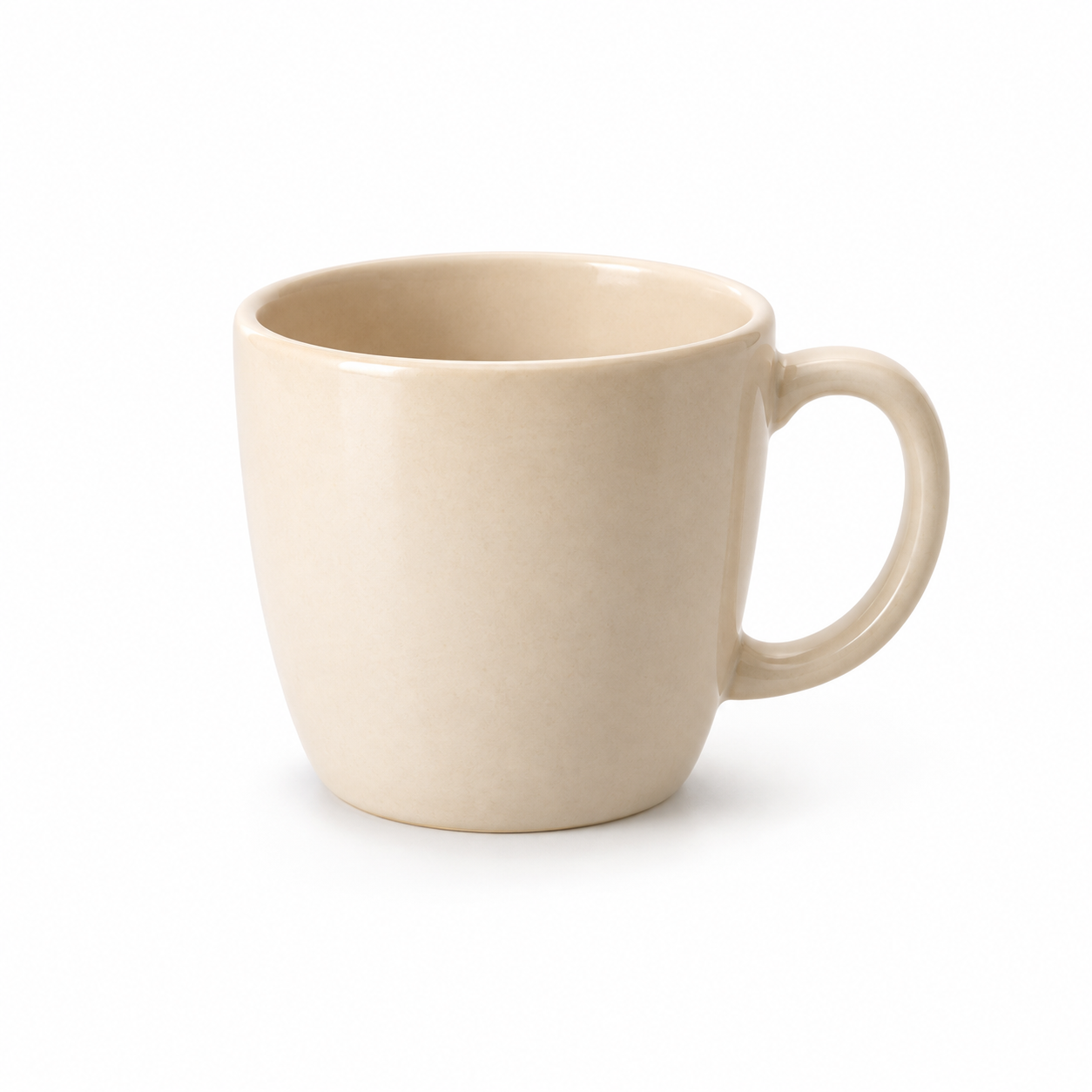
The file is 1,246,205 bytes. The rim and the hole in the handle are visible, with shading as if lit from the left. A faint shadow remains around the bottom, separating it from the background. The lower part of the body narrows slightly.
Image 2
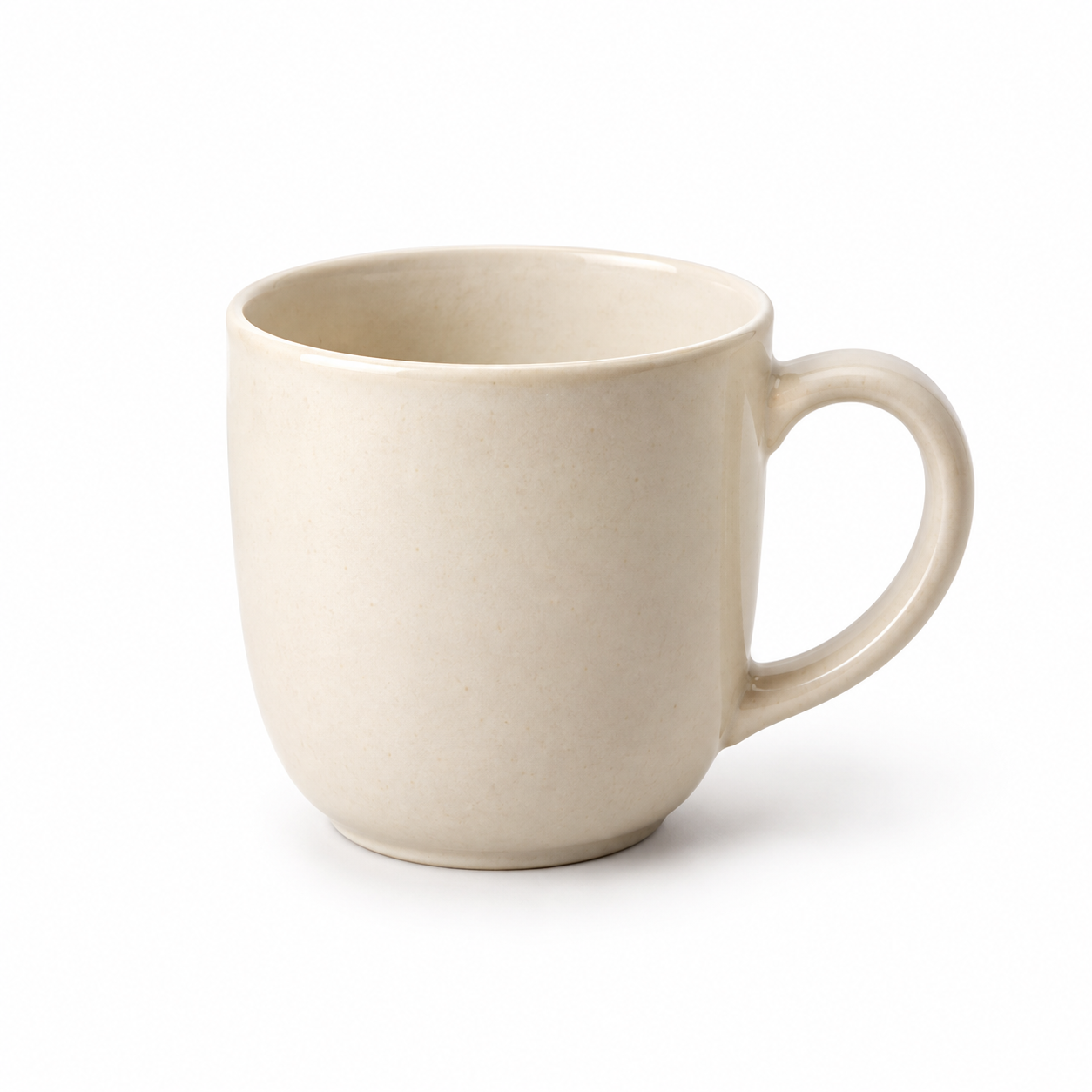
The file is 1,285,657 bytes. Compared with the first image, the sides of the body look straight, and the handle shape and the outline of the bottom also differ. The overall color and background are similar, but the shapes do not match closely enough to treat them as different shots of the same product.
Assessment
By eye, both images show one cup, with the handle on the right and one hole in it. There are no people, price tags, logos, readable text or extra props. The white background and subtle shadow achieved the goal of making the item's shape easy to see. However, we did not measure whether the whole background is numerically pure white.
Margins remained on all sides, but the subject looks wider than the specified 55%. Note that specifying margins in numbers does not give exact dimensions. Also, the body and handle differ between the two images, so this method could not confirm consistency across a product series or a match with a real item. We tried only these two images, which is not enough to calculate a success rate.
How to adapt it
First, replacing "mug" with something like "plain vase" while keeping the other conditions makes it easier to see the differences. If you change the material, change the ceramic texture instruction as well. We have not tried this substitution yet.
If there is not enough margin, you could add an instruction to draw the subject even smaller. If you don't have text drawn in the image and place it separately on the page, prices and descriptions are easier to change.
If you need to keep the shape of the real item you sell, you need an editing workflow that uses your own product photos, separate from the new generation in this article. Even then, compare the result with the original photo to check that the logo, scratches, color, handle and so on have not changed. We did not test editing with photos in this article.
[ Verification ]
- Status
- Verified
- Model
- Codex内蔵画像生成(正式モデル名は取得不可)2026.10.11
[ Update history ]
Last checked 2026.10.11
- 2026.10.11Adapted the original Threads post for a white background and generated two images from the same prompt. Checked shape, margins and stray text.