An image prompt for a paper-model house to use in housing event announcements
A paper-model house image for housing event notices, inspired by a Threads paper-craft prompt. The Japanese prompt, two original images and limits.
Verified Codex内蔵画像生成(正式モデル名は取得不可)Checked 2026.10.204 min readTranslated from the Japanese original. Outputs shown in code blocks are kept exactly as produced.

[ Use ]
Create a paper-model-style image of a fictional house to go with announcements for open houses or home-related events
住宅見学会の案内に使う、紙模型風のイメージ画像を1枚作成してください。実在の建築物ではない、小さな平屋の家を厚紙で組み立てたように描きます。正方形1024×1024px、背景は均一な淡いアイボリー。画面の右下寄りに家を1軒だけ配置し、家全体を画面幅の約50%に収めて、屋根や土台を端から離す。左上の約3分の1は、後から見出しを配置できる無地の余白にしてください。家は白い紙の壁、深緑の切妻屋根、木色の玄関扉1枚、正面に正方形の窓2つ。右の側面には窓1つ。カメラは斜め上から正面と右側面が見える位置。紙の薄い断面、折り目、控えめな接合部で手作りの模型らしさを出し、紙の表面は滑らかに。家の下には薄い白い長方形の紙の土台を1枚だけ置く。柔らかい左上からの光で、家の右下に短く淡い影をつける。庭木、人物、車、家具、煙突、文字、ロゴ、寸法線、切り取り線、番号、透かしは入れない。これは告知の挿絵用の完成イメージであり、組み立て用の型紙や設計図ではありません。複数画面や比較図にせず、1つの完成イメージだけを出力してください。
Placing a paper-model-style house toward the lower right gives you a calm image to go with a housing event announcement. In our two images, we got empty space at the upper left for adding a heading later. However, the size of the house and the evenness of the background did not match our instructions. These are illustration ideas for announcements showing a fictional house, not photos of a real property for sale.
English rendering (untested translation): "Create one paper-model-style image for an open house announcement. Draw a small one-story house, not a real building, as if assembled from cardboard. Square 1024×1024px, background a uniform pale ivory. Place only one house toward the lower right of the frame, fit the whole house within about 50% of the image width, and keep the roof and base away from the edges. Make roughly the top-left third plain empty space where a heading can be placed later. The house has white paper walls, a dark green gable roof, one wood-colored front door and two square windows on the front. One window on the right side. The camera is slightly above, where the front and right side are visible. Show handmade-model character with thin paper edges, folds and subtle joints, with smooth paper surfaces. Place only one thin white rectangular paper base under the house. Soft light from the upper left, with a short, faint shadow at the lower right of the house. No garden trees, people, cars, furniture, chimneys, text, logos, dimension lines, cut lines, numbers or watermarks. This is a finished image for an announcement illustration, not a pattern or blueprint for assembly. Do not make multiple panels or a comparison image; output only one finished image."
Source and why we changed it
The idea came from a post introducing paper crafts by @apart_ai_apart on Threads (an account that collects interesting uses of AI), and the prompt text in the follow-up post. Both were posted at 18:11 JST on October 15, 2026, and we checked the text and posting time on October 20, 2026.
The original prompt turns a building or anything you like into a net (a flat pattern) printed on A3 paper, with cut lines, fold lines, glue tabs and numbers. It also introduces converting it to CAD format, but we did not try printing, assembling or CAD conversion.
We borrowed the idea of showing a building in paper and changed the use to a finished image for announcements. That is because a generated image alone cannot guarantee a net that needs accurate dimensions. We limited the subject to one fictional one-story house and specified the roof color, the number of windows and doors, and the camera direction. We also added the empty space at the upper left, a condition not to generate text, and a condition to leave out extra cars and people. We did not run a comparison test with the original prompt, and this is not an improvement in the sense of being better than the original.
Example output
We used Codex's built-in image generation, on October 20, 2026. The tool did not report the official model name, so we have not written a guessed one. We generated two images from the same prompt above, without a reference image.
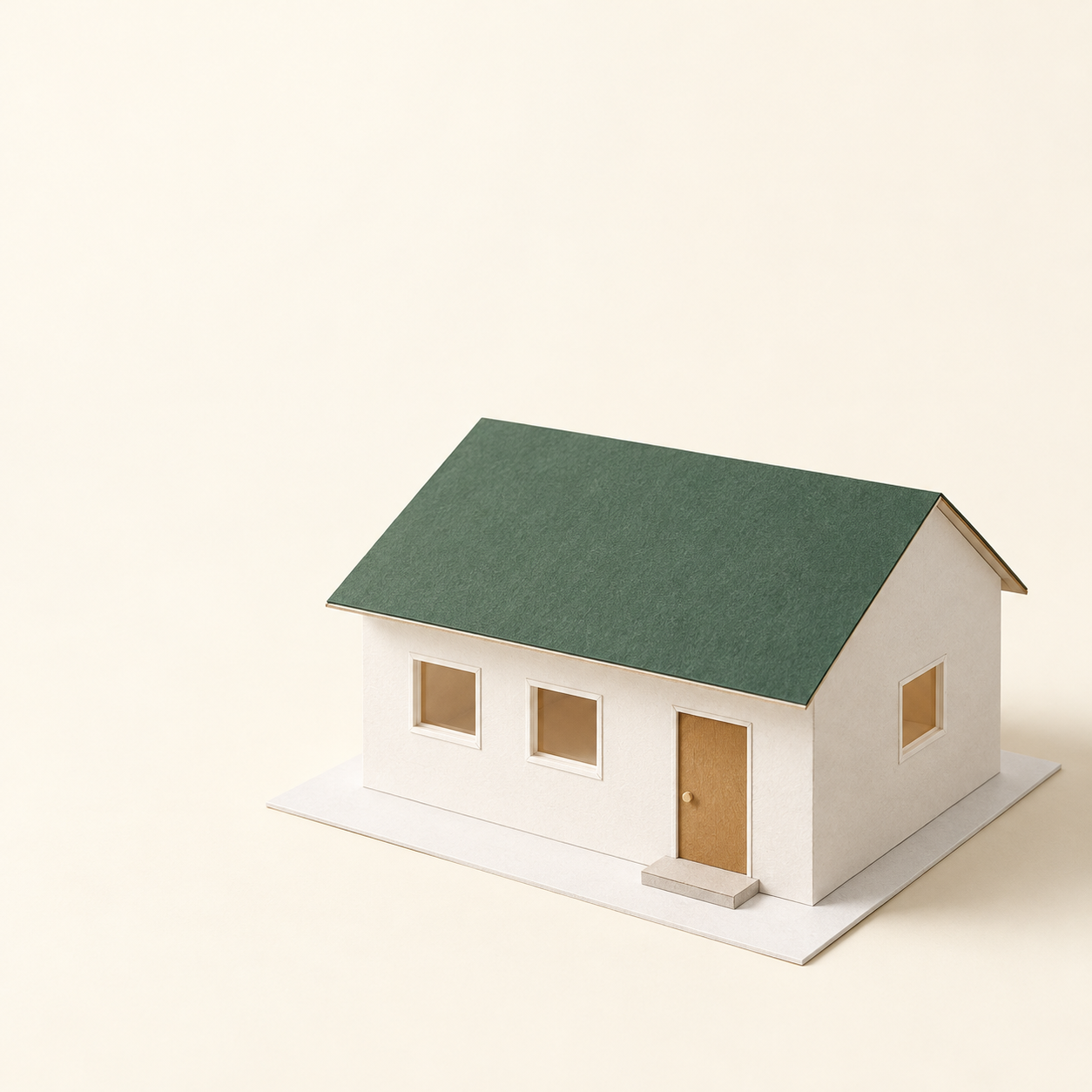
Example 1: PNG, 1254×1254px, 1,831,674 bytes. You can see the boundary between the white walls and the green roof, and the thin edge of the roof. There are two windows and one door on the front and one window on the right side, matching the number of elements we specified.
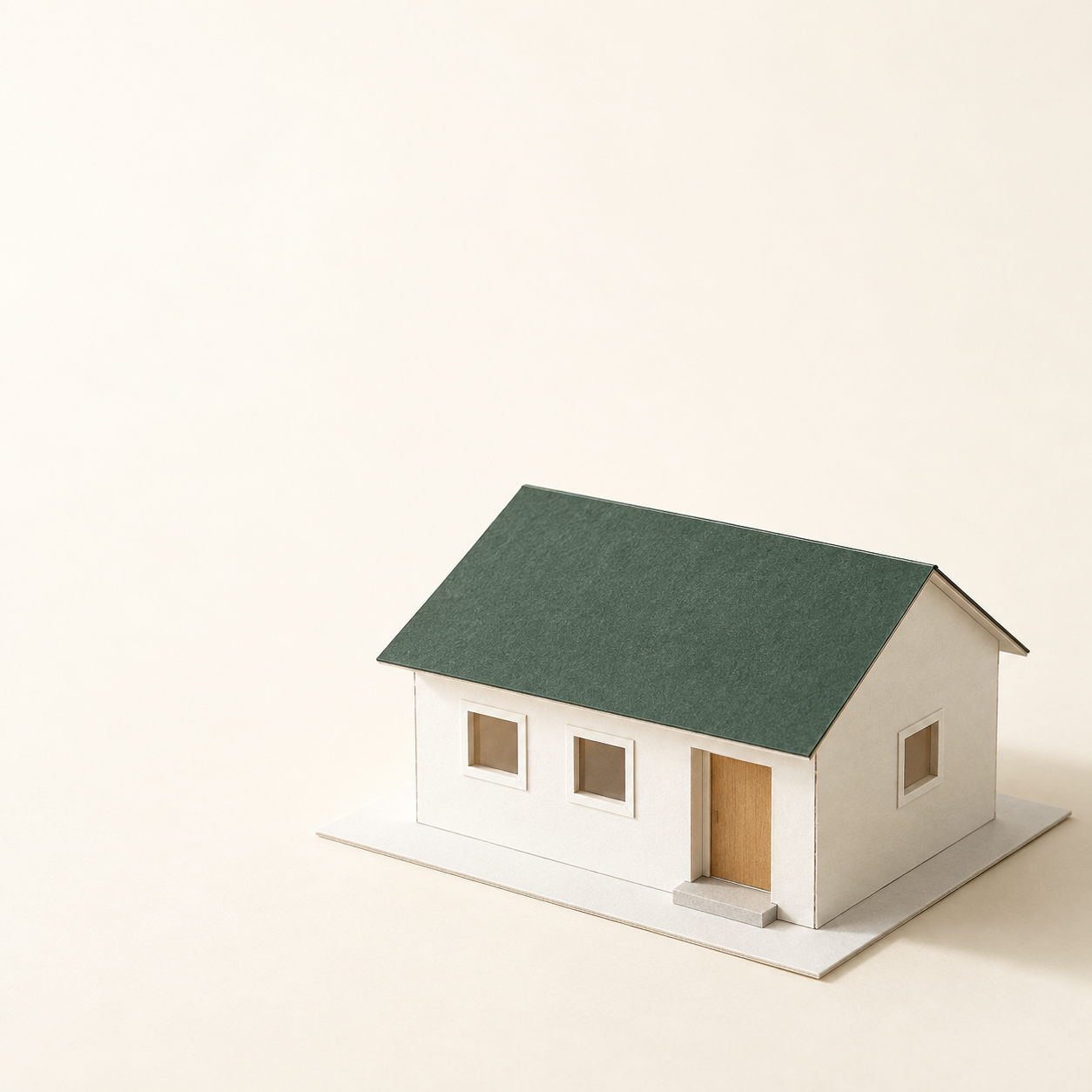
Example 2: PNG, 1254×1254px, 1,805,182 bytes. The house is a little smaller than in Example 1, and the empty space at the top is wider. The number of windows and doors is the same, but the details around the entrance and the visible area of the roof differ.
Both are the original generated PNGs, included as is, with no editing, resizing or recompression. We checked the image metadata and file sizes and confirmed at least 1024px per side and no more than 3,000,000 bytes each. We asked for 1024×1024px, but the actual output was 1254×1254px.
Assessment and limits
Both images show one house, with the front and right side visible. There is space at the upper left for adding text later, and we saw no generated text, logos, people or cars. The roof and base do not extend past the edge of the frame.
On the other hand, the house is larger than the specified 50% of the image width, leaving little room on the right. The background has faint shading and texture and is not a perfectly uniform color. The thin paper edges are visible, but the folds are not prominent; the cardboard-model look comes mainly from the roof and base. Also, both images added a step at the front door that we had not asked for.
This assessment covers only what we saw in the two full-size images. We have not tested an actual announcement layout with a heading on it, or printed output. You cannot judge real dimensions, structure or whether it could be assembled from the image. Do not use this fictional house image to show the exterior of a real property.
How to adapt it
If your announcement text is long, ask for an even smaller house and also specify the area for the text. Numeric proportions are not always followed exactly, so check the empty space in each output. If you don't have the image draw text and instead place the date and venue separately, the announcement is easier to update.
To change the roof to blue or brown, replace just the one color instruction. To add windows, specify the numbers separately for the front and the side. We did not generate these variations. If you need a real model or a net, you need a separate process to check dimensions and joints, apart from the announcement image.
[ Verification ]
- Status
- Verified
- Model
- Codex内蔵画像生成(正式モデル名は取得不可)2026.10.20
[ Update history ]
Last checked 2026.10.20
- 2026.10.20Checked the original social media post and prompt, then generated two images from the same adapted prompt and reviewed them by eye