A prompt for a lemon embroidered-badge social media icon
From an embroidered badge idea on Threads, with layout and margins set for a shop's social icon. Two images from a Japanese prompt, what worked, and limits.
Verified Codex内蔵画像生成(正式モデル名は取得不可)Checked 2026.10.134 min readTranslated from the Japanese original. Outputs shown in code blocks are kept exactly as produced.

[ Use ]
Create a lemon embroidered-badge icon idea for a handmade goods shop's social media profile
ハンドメイド雑貨店のSNSプロフィールに使う、レモンをモチーフにした刺繍バッジ風の画像を1枚生成してください。正方形、1024×1024px。背景は均一な淡いアイボリー。円形の生成り布のバッジを真正面から見た構図で、画面中央に1個だけ配置し、直径は画面幅の約72%。外周まで四辺から十分離し、円形トリミングでも切れない余白を残してください。中央に黄色いレモンを1個、左上に濃緑の葉を2枚。レモンは大きく単純な輪郭で、黄色の面と葉の緑が明確に分かれる配色。刺繍糸の方向が見えるサテンステッチで、糸の厚みと小さな重なりを写実的に描写してください。外周は細い緑色のステッチを1周だけ。周囲の花、文字、ロゴ、追加の果物、金属ピン、枠外の装飾は入れない。布の織り目はバッジの内側だけに控えめに見せ、背景には粒子や紙目を入れない。柔らかな正面の拡散光で、刺繍の浅い陰影だけを残し、強い投影や反射は避ける。温かみのある実物の刺繍を撮影したような表現。コラージュや比較画像にせず、1つの完成図だけを出力してください。
An embroidery-style image with visible overlapping threads can add warmth to a handmade goods shop's profile. Here we made a lemon the star and tried a square icon with the background and decoration kept to a minimum. These are AI design ideas, not photos of a real product.
English rendering (untested translation): "Generate one embroidered-badge-style image with a lemon motif for a handmade goods shop's social media profile. Square, 1024×1024px. Background: uniform pale ivory. A round badge of unbleached cloth seen straight on, only one, placed in the center, with a diameter of about 72% of the image width. Keep its edge well away from all four sides, leaving margins so it is not cut off by a circular crop. One yellow lemon in the center and two dark green leaves at the upper left. The lemon has a large, simple outline, with colors where the yellow area and the green leaves are clearly separate. Satin stitch with visible thread direction, depicting the thickness of the thread and small overlaps realistically. Only one thin ring of green stitching around the edge. No surrounding flowers, text, logos, extra fruit, metal pins or decoration outside the frame. Show the cloth weave subtly, only inside the badge, with no grain or paper texture in the background. Soft, diffused front lighting, keeping only the shallow shading of the embroidery and avoiding strong cast shadows or reflections. A look like a photo of real, warm embroidery. Do not make a collage or comparison image; output only one finished image."
Source and why we changed it
The idea came from a post introducing embroidered tin badges by @bea_tea_time on Threads, dated June 18, 2026. On October 13, 2026, we also checked the prompt text in the follow-up post from the same day. The original instructions are to choose a favorite symbol and colors, turn them into round embroidery and use it as an icon.
We narrowed the use to a goods shop's profile and fixed the subject to one lemon and two leaves. Instead of a layout with small motifs arranged around it, we used only a thin green border, to keep the detail from piling up. With a circular crop in mind, we set the badge diameter to about 72% of the image width and specified margins on all four sides. We also added conditions to leave out text, logos and metal pins, and not to draw a weave in the background. We did not generate images with the original prompt for comparison, so this is not a claim that it is better than the original.
Example output
We used Codex's built-in image generation, on October 13, 2026. The tool did not report the official model name, so we have not written a guessed model name. We entered the same Japanese prompt above twice and generated one image each time. No reference image was used.
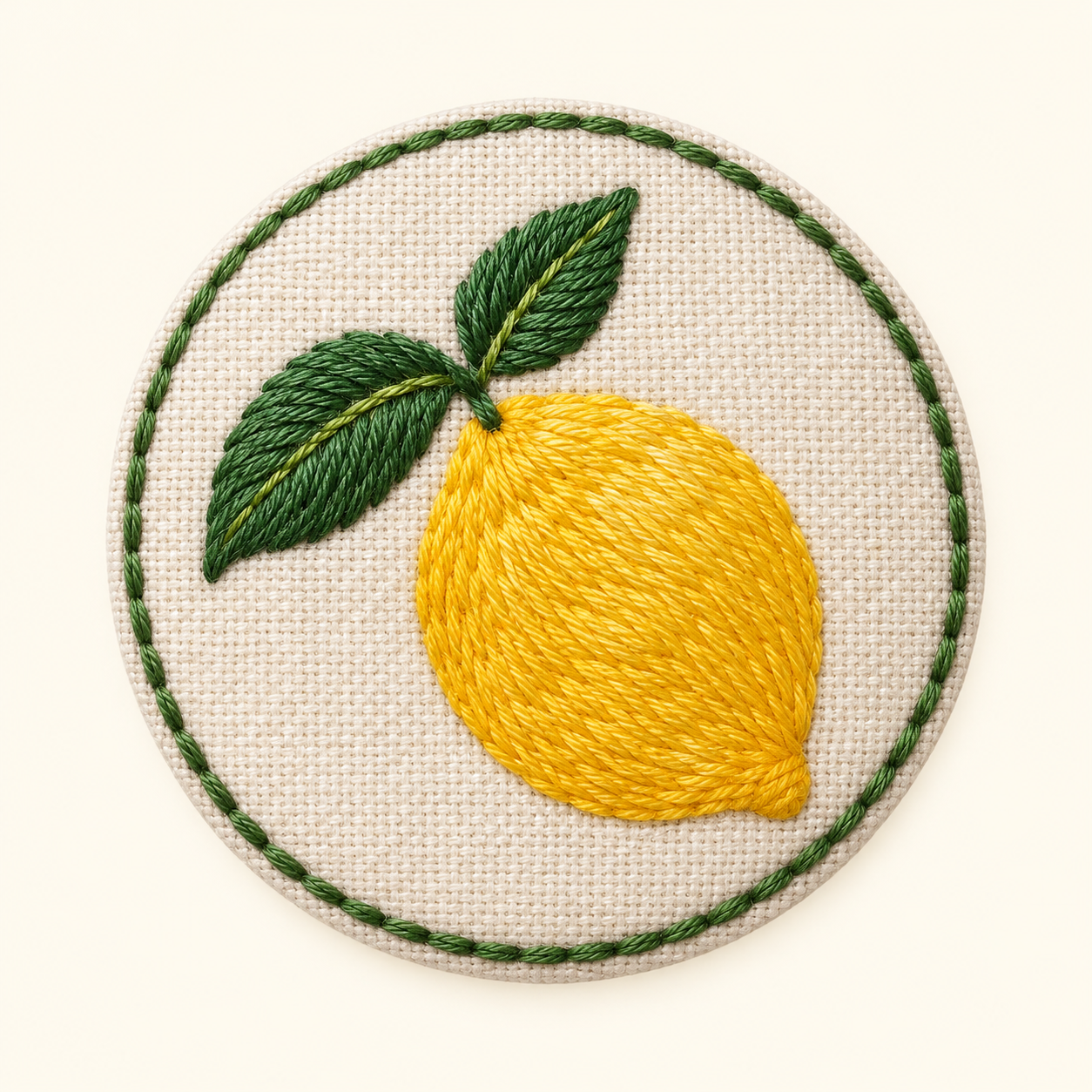
Example 1: PNG, 1254×1254px, 2,445,339 bytes. The lemon's yellow and the leaves' dark green are clearly separate, and diagonal overlapping threads are visible. The cloth stands out more than we expected, but the edge against the background is still clear.
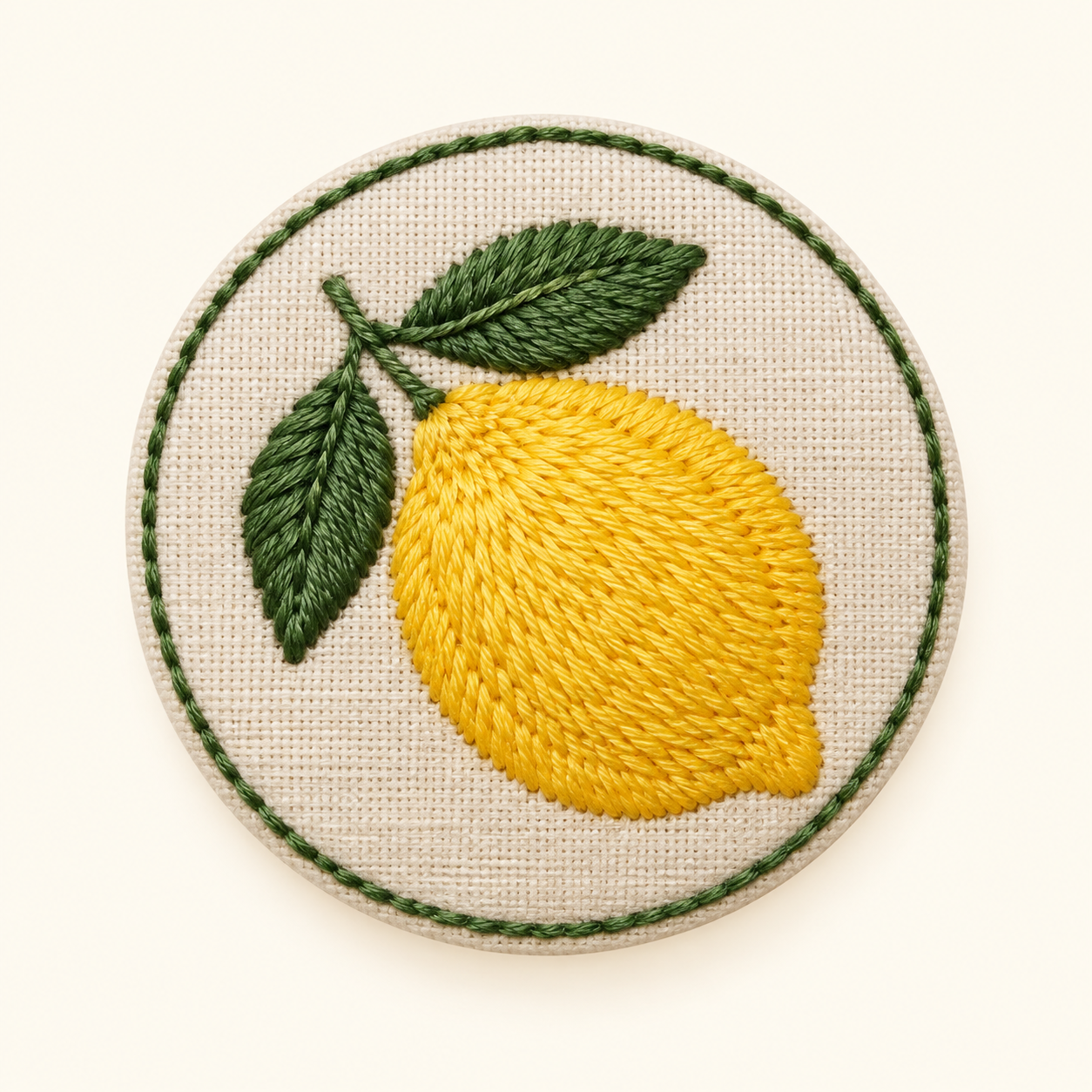
Example 2: PNG, 1254×1254px, 2,305,587 bytes. The direction of the leaves and the outline of the lemon changed. The fruit is wider than in Example 1, and the bundles of thread look larger.
In both cases we saved the original generated PNG with no editing, resizing or recompression. The prompt asked for 1024×1024px, but both outputs were 1254×1254px. Both meet our conditions of at least 1024px per side and no more than 3,000,000 bytes each.
Assessment and limits
In both images we could see by eye the single lemon, two leaves, round cloth and green border. There is no unwanted text or extra fruit. Because the large yellow and green areas are separate, the subject is easy to read.
However, the badge diameter was larger than the 72% we specified; by eye it was about 80% of the image width. Numeric layout instructions are not always followed exactly. The pale background has slight variations in brightness and is not perfectly uniform. Also, the thread looks like short overlapping bundles, so we cannot say it is an embroidery design that exactly reproduces the satin stitch we asked for. These images do not guarantee how a real piece is made or its quality.
This assessment covers only the two full-size images we checked. We have not tested actually setting it on social media, how it looks at small sizes, or how it looks after a circular crop. Even with the same prompt, the leaf angle and thread flow change, so if you need matching details across a series, you will need extra checking.
How to adapt it
When changing the motif, first rewrite the count condition: one fruit and two leaves. For a pear, for example, change the fruit's shape and main color together to avoid confusion from leftover lemon instructions. We have not generated this example.
Even if you want the subject to look larger, keep the margin around the edge. Numeric margin instructions vary, so check the finished image to make sure the edges are not cut off. If you add text, the readability of small embroidered letters becomes a separate problem. An easy way to proceed is to get the subject's shape right without text first, then add only the information you need.
[ Verification ]
- Status
- Verified
- Model
- Codex内蔵画像生成(正式モデル名は取得不可)2026.10.13
[ Update history ]
Last checked 2026.10.13
- 2026.10.13Checked the original Threads post and full prompt, then generated two images from the same prompt and reviewed them by eye